CellarSync

CellarSync/Features/Zoho Analytics sync

Clean rows, straight to Zoho Analytics

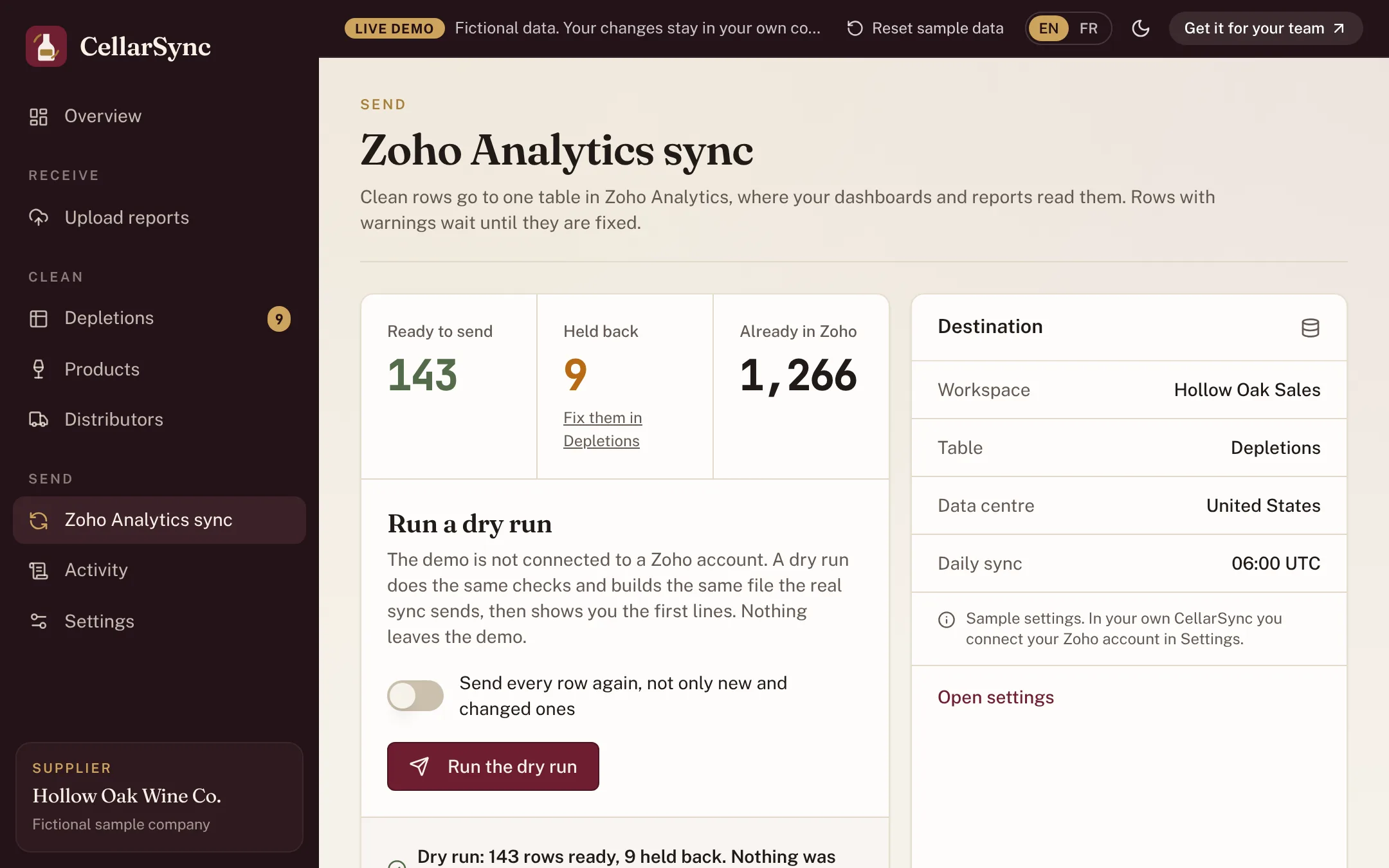
Rows that pass the checks are sent to one table in Zoho Analytics, where your dashboards and reports read them. New and changed rows are added or updated by their record ID.

One click, no account. The data belongs to a fictional winery; you get your own copy, and it resets after 45 idle minutes.

Zoho Analytics synccellarsync.techma.ai/app
The sync page: rows ready to send, held back and already in Zoho, the dry run result and the sync history

What is sent

Every valid row that is new or changed since the last sync, or every valid row if you choose to send everything again. Rows with warnings are held back and counted.

Add or update

Each row carries its record ID, so a corrected row updates the line already in Zoho instead of adding a second one.

On a schedule

Turn on the daily sync and pick the hour. Each run, by hand or scheduled, is listed with its time, result, rows sent, rows held back and duration.

In the demo

The demo is not connected to a Zoho account. A dry run does the same checks and builds the same file, then shows its first lines. Nothing leaves the demo.

Questions

Asked before the first call

Can it send to Power BI or a warehouse instead?

Yes, in a version for your team. The checks stay the same; only the destination changes.

Live demo

Pour a report in. Watch it come out clean.

CellarSync is a working application, not a mock-up. Upload a sample distributor file, check its columns, fix the rows it flags and run a sync to Zoho Analytics as a dry run.