CellarSync

CellarSync/Features/Row checks

Nothing reaches the dashboard unchecked

Each imported row goes through the same checks. Rows that pass are ready to send. Rows that fail are flagged with the reason and wait in a tab of their own.

One click, no account. The data belongs to a fictional winery; you get your own copy, and it resets after 45 idle minutes.

Row checkscellarsync.techma.ai/app
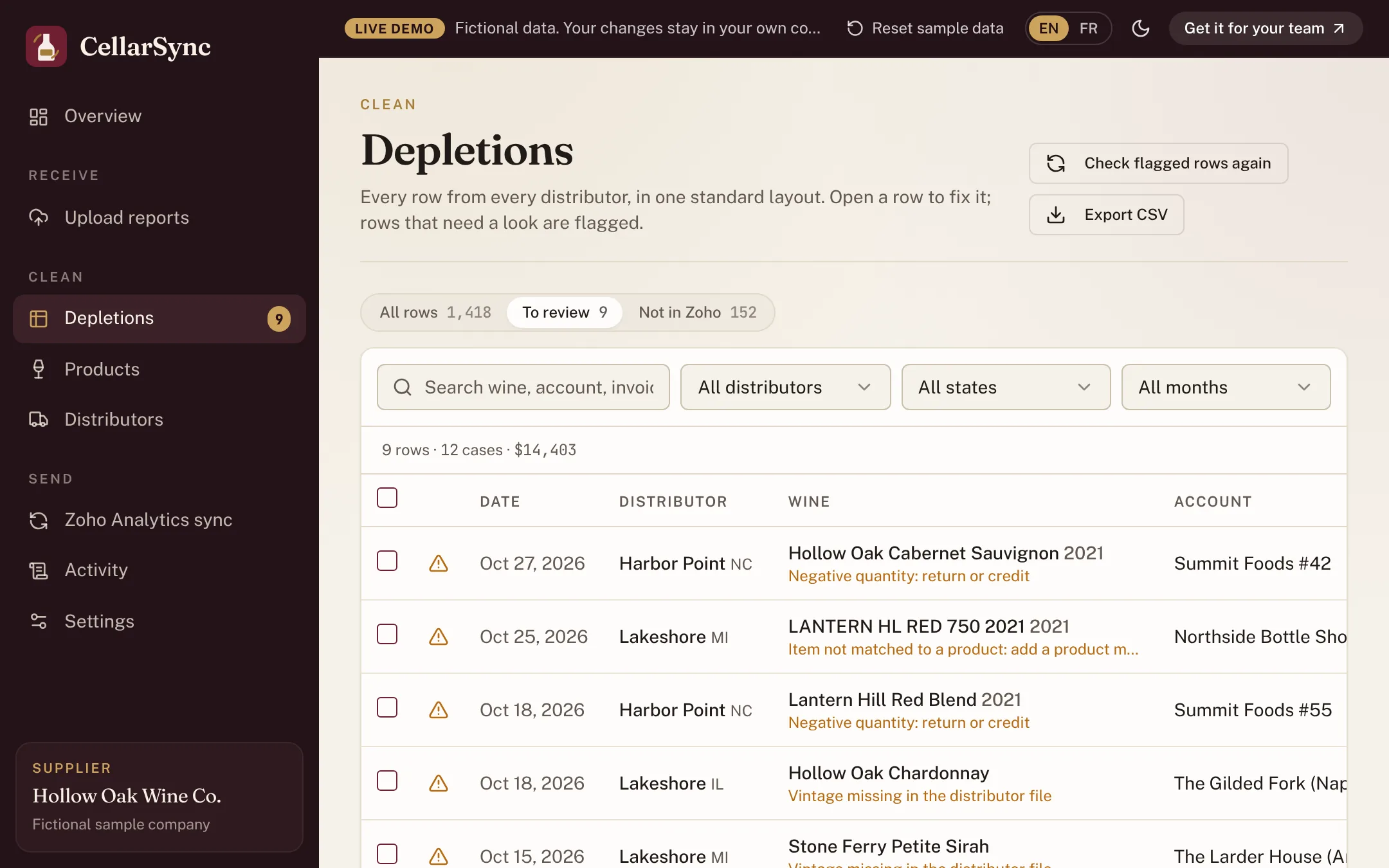
The Depletions page filtered on rows to review, each with the reason it was flagged

What is checked

  • Item not matched to a wine in your catalogue.
  • Matched by a mapping not verified yet.
  • State missing, from the row and from the distributor's profile.
  • No date, so the row cannot be placed in a month.
  • Negative quantity, a return or a credit to confirm.
  • Missing distributor or wine name.

Fix and check again

Open a flagged row to correct it: the row is checked again on save. After adding product mappings or fixing a distributor's state, one button checks every flagged row again.

Held back from the sync

Only rows that pass are sent to Zoho Analytics. The sync page shows how many are ready and how many are held back, with a link to fix them.

Questions

Asked before the first call

Can we add our own checks?

Yes, in a version for your team: a price far from list, an account type you do not sell to, a state the distributor does not cover, and so on.

Live demo

Pour a report in. Watch it come out clean.

CellarSync is a working application, not a mock-up. Upload a sample distributor file, check its columns, fix the rows it flags and run a sync to Zoho Analytics as a dry run.