CellarSync

CellarSync/Features/Product mapping

Your wines, whatever they're called

Distributors abbreviate, truncate and reorder your wine names. A product mapping ties each of their descriptions to one wine in your catalogue, once.

One click, no account. The data belongs to a fictional winery; you get your own copy, and it resets after 45 idle minutes.

Product mappingcellarsync.techma.ai/app
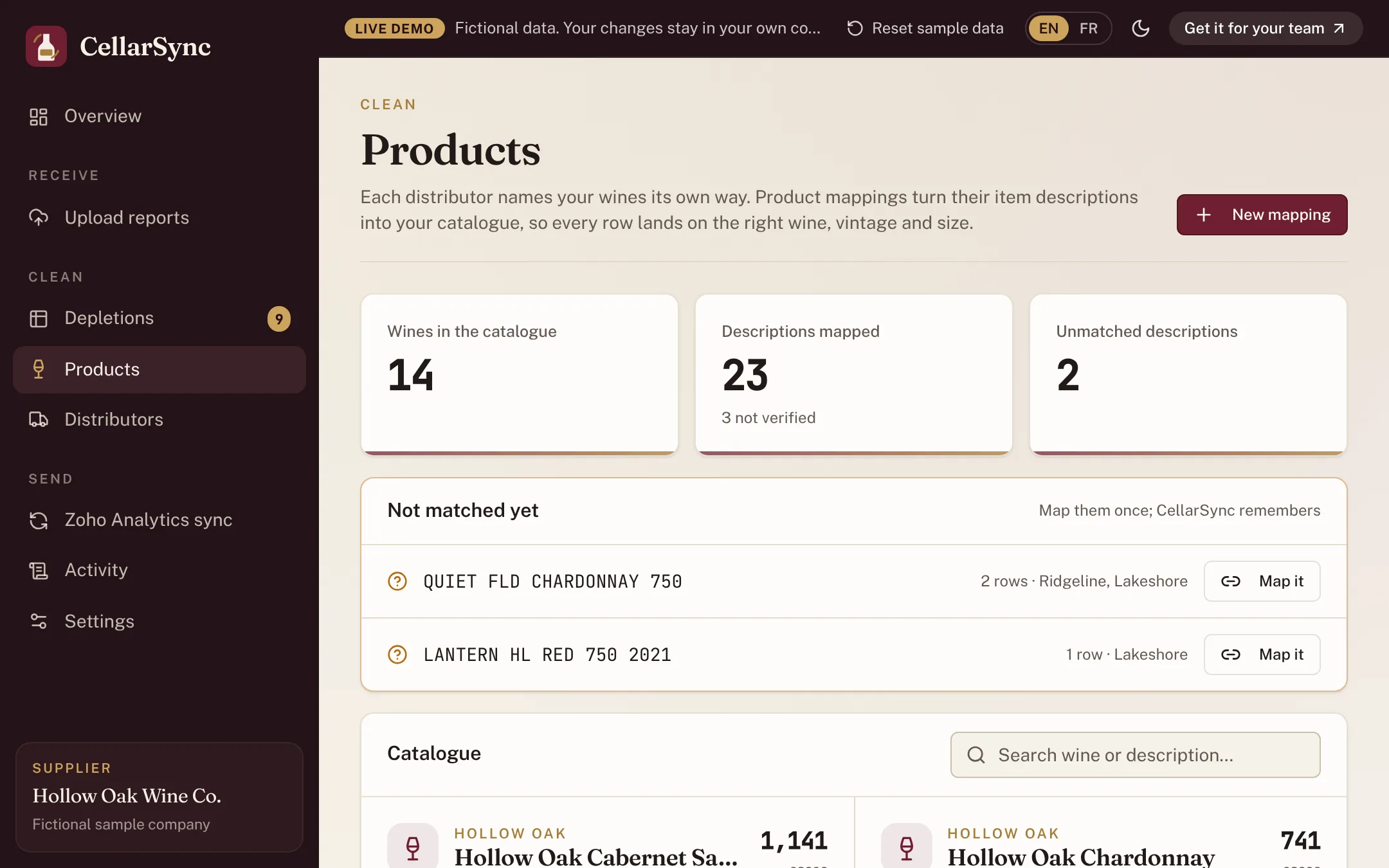
The products page: the catalogue of wines, each with the distributor descriptions mapped to it, and the unmatched descriptions

Not matched yet

Descriptions that match no wine are listed at the top with the number of rows and the distributors that use them. One click opens the mapping form with the description filled in.

A mapping in one form

Pick one of your wines to fill its fields, or enter them: wine name, vintage, type, size, brand, varietal, appellation and supplier code. Saving the mapping matches every flagged row with that description at once.

Verified or not

A mapping can wait for a second look. Rows matched by a mapping that is not verified yet are flagged, so a guess never reaches the dashboard unchecked.

The catalogue

Each wine shows its vintage, size, appellation and code, the descriptions mapped to it and the cases depleted, so you see at a glance which names each distributor uses.

Terms used on this page

Vintage

Questions

Asked before the first call

What if a distributor changes a description?

The new description shows up under Not matched yet. Map it to the same wine and its rows pass the checks.

Live demo

Pour a report in. Watch it come out clean.

CellarSync is a working application, not a mock-up. Upload a sample distributor file, check its columns, fix the rows it flags and run a sync to Zoho Analytics as a dry run.