CellarSync

CellarSync/Features/Column check

Sixty fields, any column names

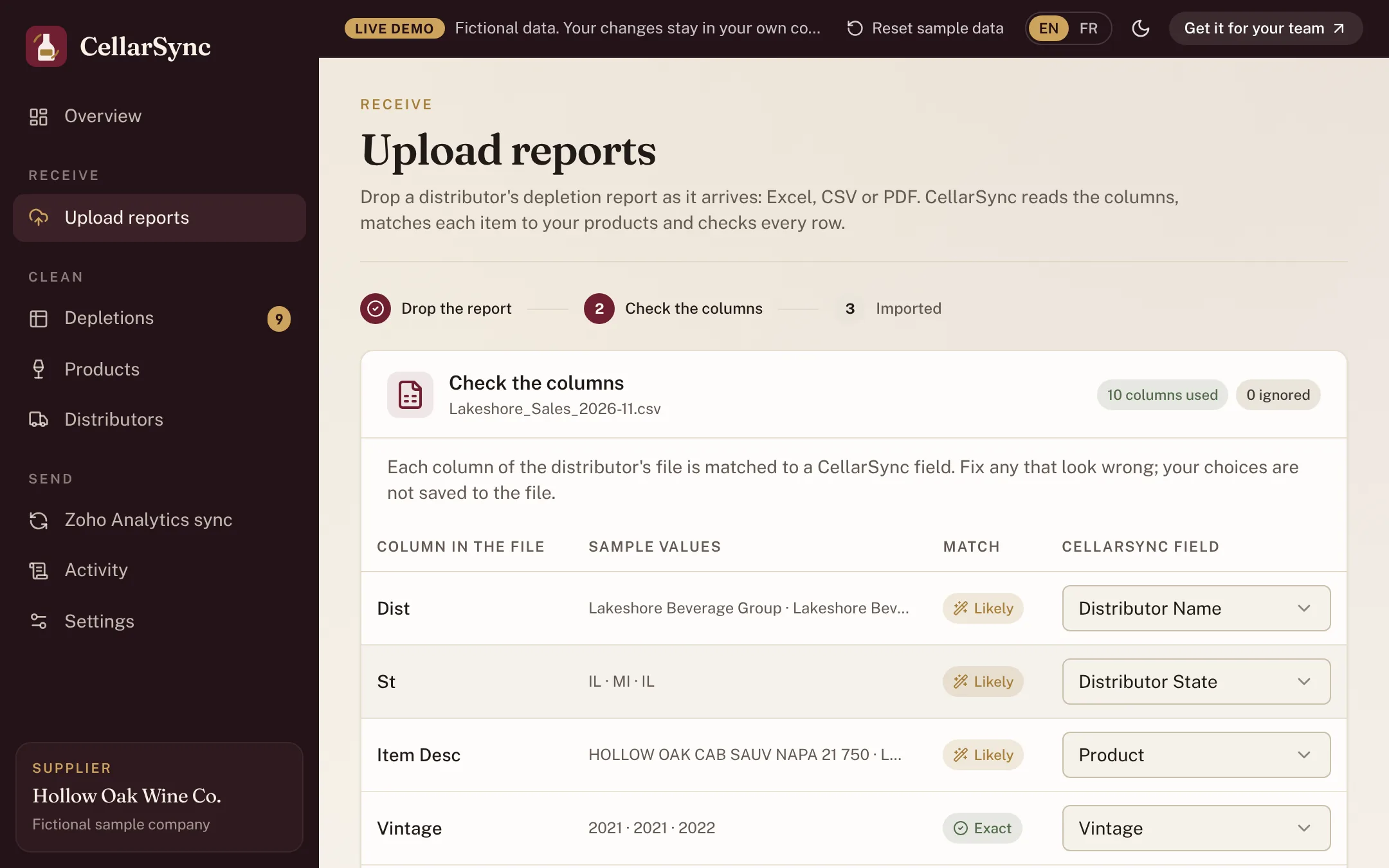
Before a row is imported, every column of the file is matched to a field of the standard layout. You see what was matched, how sure the match is, and you can change it.

One click, no account. The data belongs to a fictional winery; you get your own copy, and it resets after 45 idle minutes.

Column checkcellarsync.techma.ai/app
The column check: each column of a distributor CSV with sample values, a match level and the CellarSync field chosen

Exact, likely, or not set

A column named exactly like a field of the standard layout is an exact match. A column whose name contains a common variant, such as "Cs Qty" for cases sold or "Cust Name" for account name, is a likely match. Anything else is left unset until you choose.

What you see for each column

  • The column name in the file.
  • Three sample values from it, so you can tell an account name from a city.
  • The match level.
  • The field it will fill, which you can change or set to ignore.

Before you can import

Two things are required: a column that says which wine, and a column that gives the quantity. The import button waits until both are set, and a field used by two columns is pointed out.

The standard layout

About sixty fields cover what distributor reports carry: distributor, state and warehouse; item description, brand, varietal, vintage, size and codes; account name, number, address, chain and premise; invoice, date and sales rep; cases, bottles, 9-liter equivalents and amounts; and monthly columns for summary reports.

Terms used on this page

Standard layoutSummary reportVintage

Questions

Asked before the first call

Does it remember a distributor's layout?

In the demo, matches come from the column names each time. A version for your team can save each distributor's layout so recurring files import with no check at all.

Can AI suggest the matches?

Yes, in a version for your team, for columns whose names say nothing useful. AI is switched off in the public demo.

Live demo

Pour a report in. Watch it come out clean.

CellarSync is a working application, not a mock-up. Upload a sample distributor file, check its columns, fix the rows it flags and run a sync to Zoho Analytics as a dry run.